
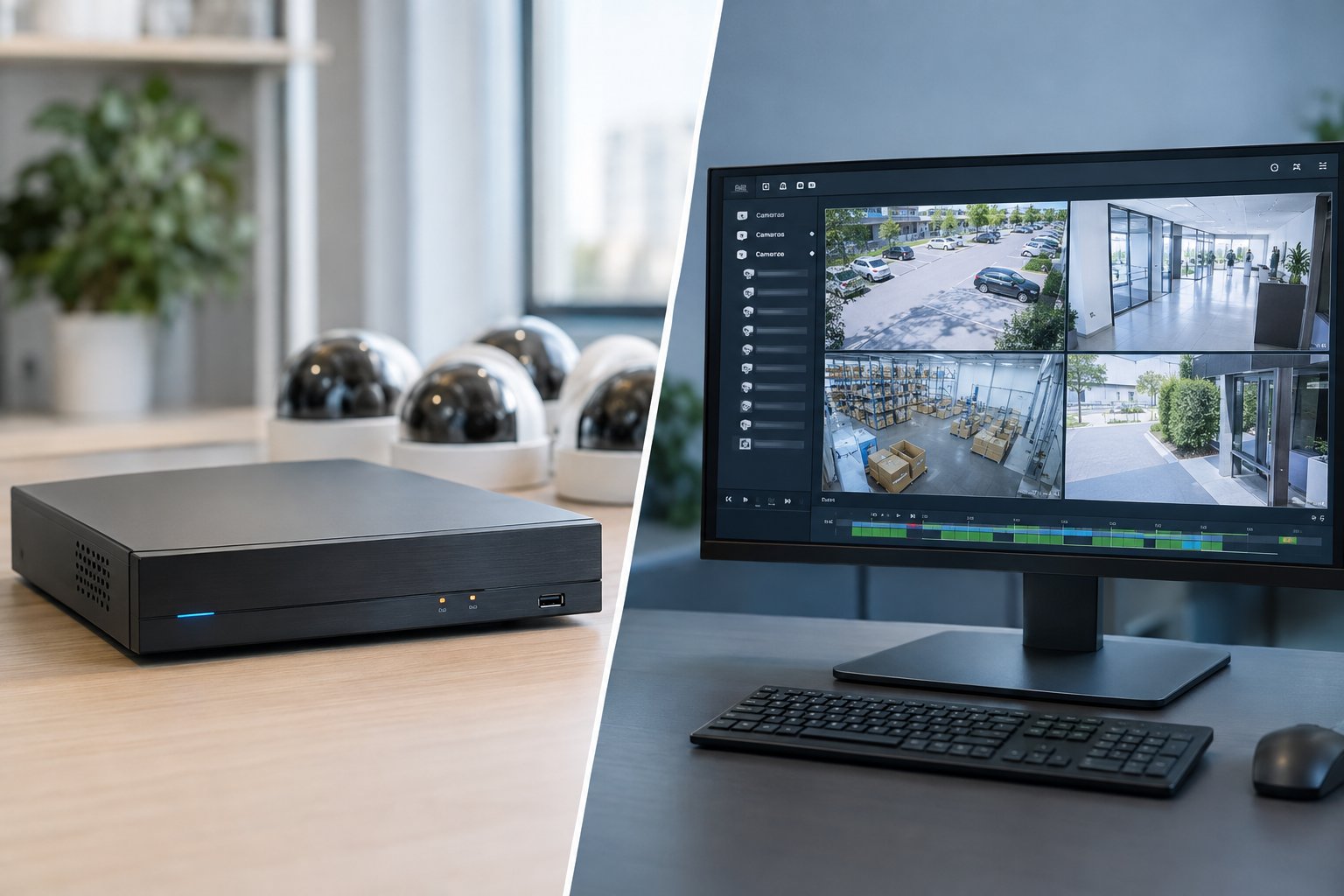
Short answer: an NVR is a recorder—hardware that can store video and connect cameras—while a VMS is the software used to manage cameras and recordings. They are not necessarily alternatives: a recorder can run VMS software, and some all-in-one units combine recording, software and other system components. The right setup depends on your camera count, storage needs, management requirements and plans to expand.
NVR and VMS: two different roles
NVR means network video recorder. In a surveillance setup, the recorder is a device or server that cameras and other connected equipment can connect to. It can provide an initial location for storage and processing. VMS means video management system: software that lets users manage connected devices and video. A recorder may run that software, so asking “NVR or VMS?” can make the choice sound more either-or than it is.
For example, a recording server can run VMS software while also serving as a place for connected devices to send video. Other recorder setups focus more on storage and may use a separate app or client for management. The hardware and software roles are distinct, even when they are packaged together.
Axis describes its recorder as a server for cameras and other connected devices, a location for storage and processing, and a system that runs VMS software. Its examples show why it helps to compare the complete setup rather than the labels alone. Axis: Recorder 101 – Choosing the right solution.
How the roles compare
Use this comparison to separate the system’s physical recording role from its management software. The specific features depend on the recorder and VMS configuration.
| Aspect | NVR or recorder | VMS |
|---|---|---|
| What it is | Recording hardware or a server | Software for managing video devices |
| Main role | Connects devices and can provide storage and processing | Provides tools to manage connected devices and video |
| How they relate | May run VMS software | May run on a recorder or connect to recording hardware |
| What to check | Channels, storage, PoE, form factor and expansion | Management features, user workflow and compatibility |
The comparison is about roles, not a universal product specification. Some recorder products combine more functions than others, so check the documentation for the exact unit and software you are considering.
What changes between recorder setups
A recorder can be a dedicated recording server, an appliance that combines several components, or a simpler recorder focused on storage. Those choices affect how the system is installed and managed. Axis describes recording servers that come with VMS software, appliances that combine a recording server, PoE ports and a client workstation, and recorders that primarily provide storage and PoE while connecting to management software.
These are examples from one manufacturer, not a universal map of every NVR. They are useful for identifying the setup questions to ask: do you want one compact unit, do you already have network equipment, and do you need an active management workstation or a simpler way to review footage?
The table below compares the three recorder families described in the Axis article. The channel limits and camera counts are product-family details from that article, not general NVR limits.
| Recorder type | Functions described | Detail to note |
|---|---|---|
| Recording server | Recording server with VMS software | No PoE ports in the AXIS S12 example; PoE must be provided separately |
| Appliance | Recording server, PoE ports and client workstation in one unit | The AXIS S22 and S2108 examples go up to 24 channels |
| Recorder | Primarily storage and PoE, with management software connecting to it | The AXIS S30 example connects 8 or 16 cameras |
In the Axis examples, the S30 can connect to AXIS Companion for straightforward, reactive management, or to AXIS Camera Station in some expanded or distributed-storage deployments. The article describes the S22 and S2108 appliances as all-in-one options, while the S12 recording servers do not provide PoE ports. These distinctions show why “NVR” alone does not tell you which software, ports or workstation features are included. See the recorder-family descriptions.
Choose by checking the whole setup
Before choosing hardware or software, write down what the system must do now and what may change later. The following sequence turns the main selection questions into practical checks. It follows the factors highlighted in Axis’s recorder guidance and its questions for businesses choosing recording solutions.
Setup checks before selecting an NVR or VMS
- Count the connected devices
Work out how many cameras and other devices need to connect. Use that count to check the minimum channel capacity, then consider whether you may add devices later.
- Estimate storage needs
Decide how long you need recordings kept and whether you expect to record in 4K. Check the recorder’s storage capacity and whether it has room for additional storage.
- Decide how you will manage the system
Consider whether you need to manage devices actively or mainly review footage when needed. Check which VMS and client tools are included or supported.
- Check PoE and power requirements
If the recorder will power cameras over Power over Ethernet (PoE), confirm it has PoE ports and that its power output meets the connected devices’ requirements. If it has no PoE ports, plan for separate PoE equipment.
- Plan for locations and expansion
Check whether the system serves one site or several, and whether you may add locations. For multi-site setups, consider whether simpler local recording units connected to a central server fit the intended arrangement.
- Check compatibility and upkeep
Confirm that the cameras and other network products can work with the recorder and VMS. Plan who will handle software and firmware updates, maintenance and troubleshooting.
These checks help you compare configurations without assuming that every NVR includes the same software or connections. The selection process also brings trade-offs into view: a compact all-in-one appliance may combine components, while a server-based arrangement can keep PoE equipment separate. Which arrangement fits depends on the system you are planning.
Common setup trade-offs
One appliance or separate components?
An all-in-one appliance can bring the recording server, PoE ports and client workstation together. That may suit a new installation where a compact, centralized arrangement is useful. A separate recording server lets you plan the PoE equipment separately; check that the network design accounts for those additional components. The practical choice is between combining functions and arranging them as separate parts, not a claim that one format suits every site.
Simple review or active management?
Some setups are intended for users who mainly review footage occasionally and check that cameras are operating. Others provide tools for more active device management. Match the VMS and client workflow to the people who will use it: check how they will review recordings, manage devices and access the system. An NVR’s presence does not, by itself, tell you how capable or suitable its management software will be.
Local recording or a multi-site arrangement?
For multiple locations, Axis describes local recorders connected to a central server as one possible arrangement. Before choosing it, check how each site’s recording and management will connect to the central system, and whether the intended VMS supports that configuration. For a single site, focus first on device count, storage, PoE and the management workflow rather than choosing a multi-site design you do not need.
Reliability, access and maintenance
Recording hardware and management software are parts of a system that also needs ongoing care. Axis’s purchasing guide recommends checking how software and firmware updates will be handled. It also identifies remote access, technical support, warranty coverage and redundant recording as points to consider when evaluating an NVR. Redundant recording means saving data simultaneously to multiple locations so a backup may remain if part of the storage system becomes unreadable.
Remote access can make it possible to view live or recorded footage from a computer, phone or tablet over a network, according to the same guide. If you need that capability, confirm how it works with the specific recorder and VMS rather than assuming every setup offers the same access options. Decide who is responsible for updates and troubleshooting, and check what support arrangements are available for the equipment you select. Axis: 9 questions to consider before purchasing a recording solution.
A straightforward way to decide
Start with the job the system must do, then select the combination of recorder and VMS that meets it. If you need a compact arrangement, check whether an appliance combines the components you need. If you already have network equipment or need a different scale, compare a recording server or a storage-focused recorder with the required software and PoE setup.
Then verify the details that are easy to overlook: how many devices can connect, how much storage is available, whether the cameras are compatible, what the VMS lets users manage, and how the system can grow. A product label is only a starting point; the documented configuration is what determines whether the hardware and software fit together.
Frequently asked questions
NVR vs VMS questions
Can an NVR include a VMS?
Yes. The recorder may run VMS software. Some described recording servers come with VMS, while some recorder setups connect to management software separately.
Does every NVR provide PoE?
No. Recorder configurations differ. The Axis article describes recording servers without PoE ports, appliances with integrated PoE, and storage-focused recorders that also provide PoE.
What should I check before adding cameras?
Check the available channel capacity, storage, camera compatibility and PoE power requirements. If you expect the system to grow, consider whether the recorder and VMS can support the planned expansion.
Is a VMS only for viewing footage?
Not necessarily. The sources describe VMS capabilities ranging from simpler, reactive review to actively managing connected devices. Check the capabilities of the specific software and configuration.